Review Comments (0) Screenshots (6) Questions & Answers (0) Votes (11) Awards (3) Wiki  
(11)
Bradford W. Mott, Stephen Anthony and The Stella Team
9.1.4.491
stella.sourceforge.net
Freeware
1 352 people
Download Stella

1.37 MBDownloaded 654 times

This software was checked for viruses Last month and was found to contain no viruses.
Click here to see antivirus report.
 
Video tutorial for Stella 3.5
Frame

Review

This is official description applies to version 3.5

Stella is a multi-platform Atari 2600 VCS emulator released under the GNU General Public License (GPL). Stella was originally developed for Linux by Bradford W. Mott, and is currently maintained by Stephen Anthony. Since its original release several people have joined the development team to port Stella to other operating systems such as AcornOS, AmigaOS, DOS, FreeBSD, IRIX, Linux, OS/2, MacOS, Unix, and Windows. The development team is working hard to perfect the emulator and we hope you enjoy our effort.
 
The following review written by one of the Software Informer contributors applies to version 3.1

Stella is a program that will emulate the Atari 2600 VCS console. By using this emulator you will be able to load ROMs made for that system, especially games. Those ROMs are widely available on the Internet. Stella has been developed to work under many operating systems, like Linux, AcornOS, AmigaOS, DOS, FreeBSD, IRIX, OS/2, MacOS, Unix, and Windows.

The program’s interface can be controlled by either the mouse or the keyboard. You can configure it to show you video effects, which will mimic the image that you would obtain from a TV set (this console needed to be connected to a TV set to work, not to a PC monitor). Stella will also allow you to configure the audio settings, key controls, and joysticks. You can view the properties of the game "cartridge" that is currently loaded, and change the controls for each player. These settings can be saved to the ROMs for future usage. If you want to leave a program, all that you have to do is to press the ESC key. The ROM will be unloaded from memory and you will see Stella’s interface again.

I wrote this review with Stella installed under Windows 7, and it worked flawlessly.
  • It is free.
  • It works even under Windows 7.
  • None.

Reviewed by: Daniel Ángel Romero

Reviewer rating:

Reviewed: Last year

What's new in version 3.4

- Re-enabled 'grabmouse' commandline argument and associated functionality with the following changes:
1. it is changed in the "Input Settings' UI, not in 'Video Settings'
2. it only has meaning while in emulation mode
3. it is enabled by default
- Fixed bug with emulation of paddles using the mouse most evident in Warlords;
movement was being filtered out if the mouse was moved too fast. There's still more work required in this area, however.
- Fixed bug with analog axes on gamepad devices, whereby jittering in these axes would override input from digital axis, hat or keyboard input.
- Fixed bug when switching to the debugger and back again would sometimes cause an extra mouse motion event (which would cause the emulation to think the mouse was moved and move the player accordingly).
- Tweaked bankswitch autodetection code for 4A50 bankswitching;
several more test ROMs are automatically detected.
- The 'saverom' debugger command now saves ROMs in your home directory by default if you don't specify a valid path. This fixes a bug whereby ROMs were saved in strange locations and couldn't later be found.
- Fixed bug in automatically executing the debugger 'autoexec.stella' file;
any commands it contained weren't actually being executed.
- Zero-byte ROMs are no longer loaded and mis-detected as Supercharger images.

What's new in version 3.1

Stella release 3.1.2 for Linux, MacOS X and Windows is now available.
* Modified 'showinfo' command to accept levels of output, where increasingly larger numbers provide more debug output. Related to this, added UI item to modify 'showinfo'.
* Updated DPC+ bankswitch scheme to latest specifications, including support for 32K ROMs with ARM code (the ARM code is ignored for now).
* Fixed bug in saving patched ROMs using DPC and DPC+ bankswitch schemes;
the saved image didn't actually include any changes made by the user.
* Removed 'uselauncher' from the UI, since disabling it will remove the ROM launcher on all future runs, and not allow one to enable it again. It's still available from the commandline, for those that have a need for it.
Report a wrong version Report a wrong program title Suggest a correction

Screenshots

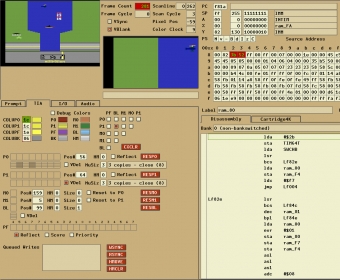
Main window Main window Main Window Main Window Main Window Main Window Main Menu Main Menu
All 6 screenshots

Latest comments


There are no comments, be the first one!
Add new comment

E-mail Address:

Password:

Register now »

Forgot password?

Sign in with:
Download Software Informer Client
Copyright © 2012, Informer Technologies, Inc. About| Privacy and terms| Help| Feedback & Support| Partners program